.png?fit=max&auto=format&n=nLGu_cb4I8615Ivv&q=85&s=f254c462678372ef8cfbab4f3e8f0081)
Create Your Artist Account
Sign Up as an Artist →Welcome to the Annapurna Art family. We’re excited to have you as part of our growing community of artists and look forward to supporting your creative journey.
Artwork Upload Process
Uploading an artwork consists of 4 simple steps. Complete each section carefully to help collectors discover your artwork and make informed purchasing decisions.Artist Dashboard
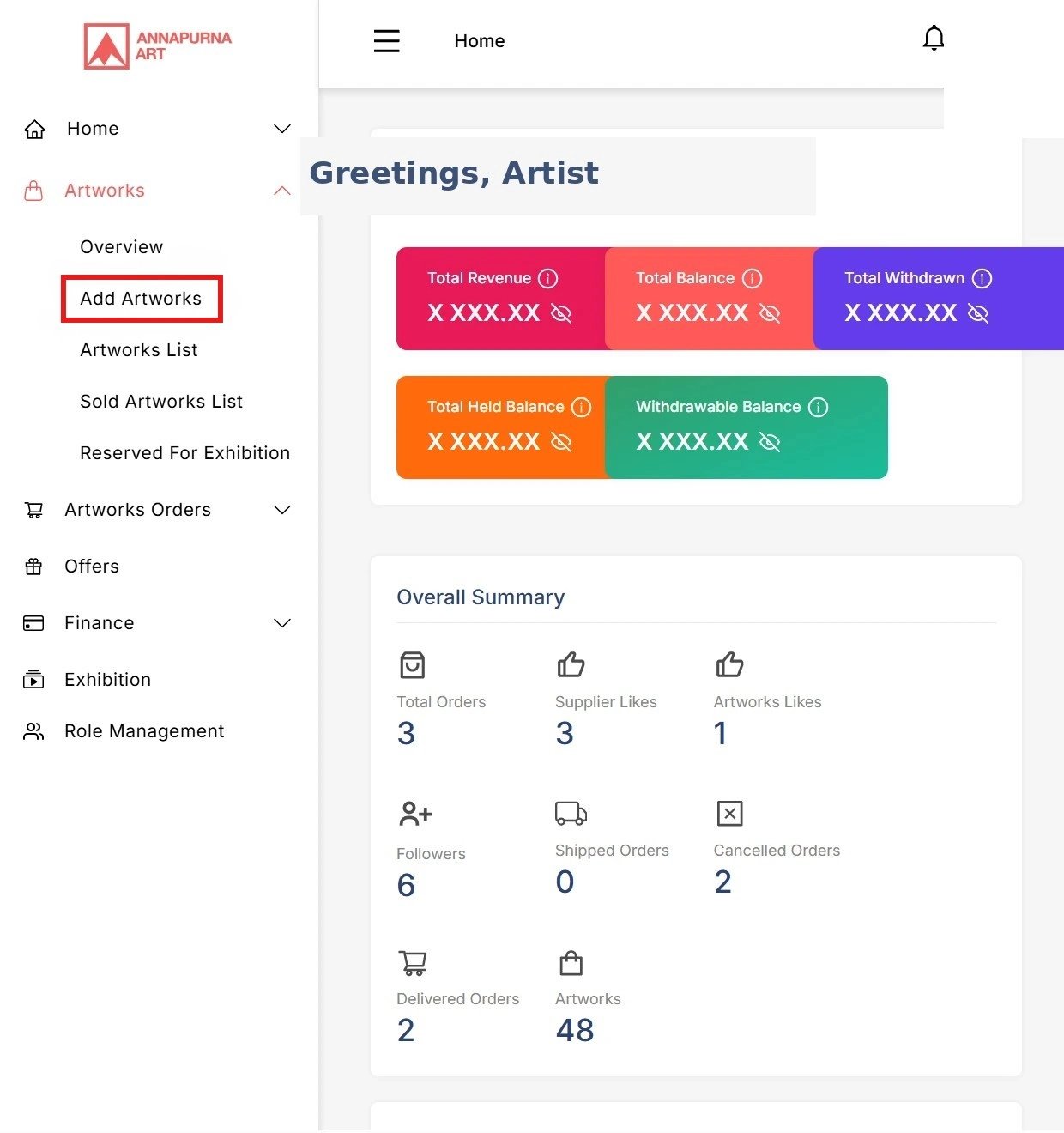
Overview
View a summary of your account activity, recent sales, orders, and important updates.
Analytics
Track artwork views, visitor engagement, and overall performance.
Artworks
Create, edit, publish, and manage all of your artwork listings.
Offers
Review and respond to purchase offers submitted by collectors.
Finance
Monitor earnings, payment history, and withdrawal requests.
Virtual Exhibitions
Create, publish, and manage immersive virtual exhibitions.
Role Management
Invite assistants or team members and assign permissions to manage your account securely.
Orders
Track artwork sales, shipping progress, and completed deliveries.
Step 1 — Basic Information
Begin by clicking Add Artwork from your Artist Dashboard.On this page, you will provide the basic information about your artwork, including: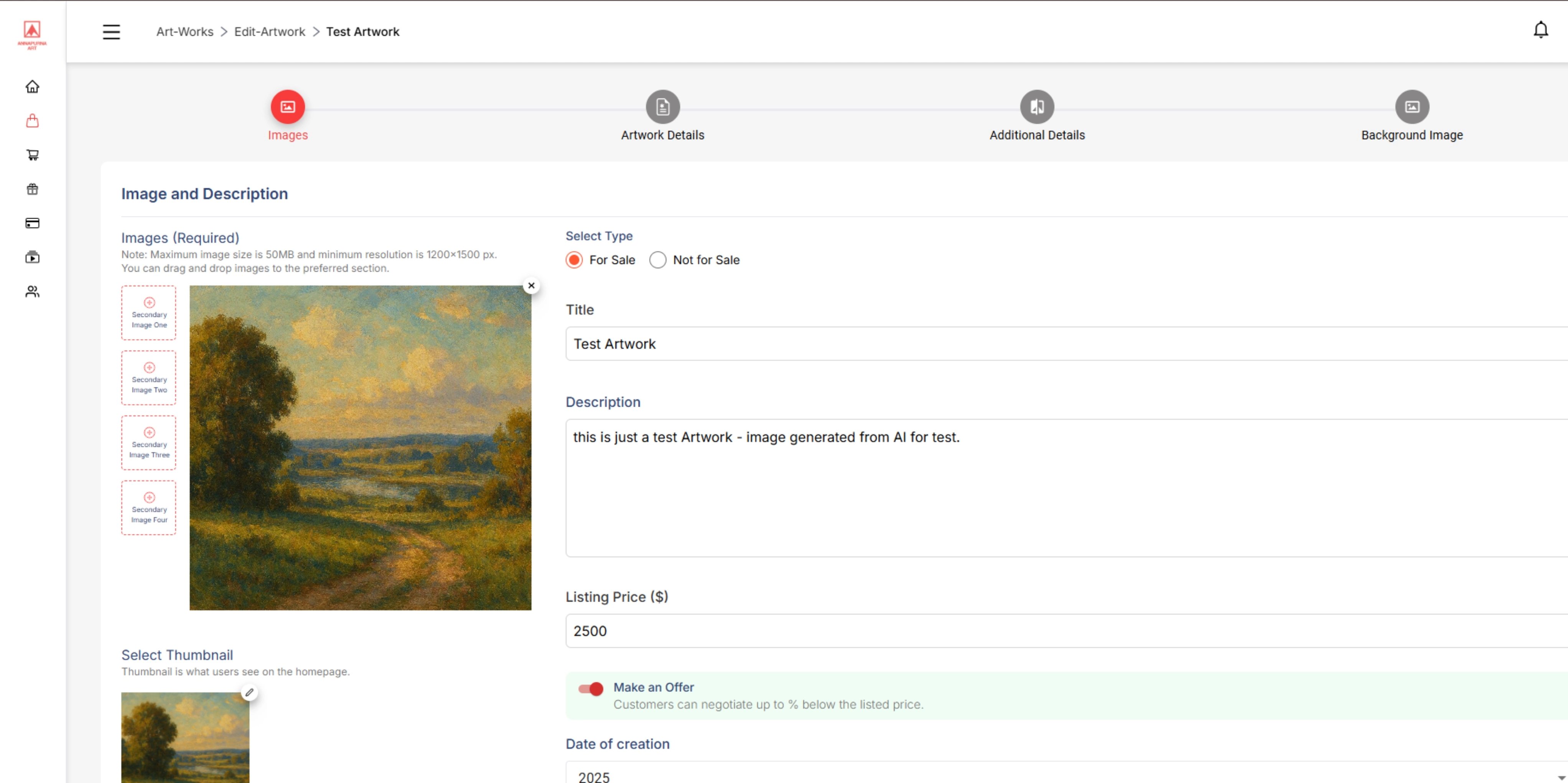
- Upload the primary artwork image
- Select whether the artwork is available for sale
- Artwork title
- Artwork description
- Listed price
- Enable or disable Make an Offer
- Date of creation
Make an Offer By enabling this option, collectors can submit purchase offers below the listed price. Offers are typically expected to be within a reasonable range of the listed price.
Step 2 — Artwork Details
The second page helps collectors discover your artwork through search and filtering.Select the options that best describe your artwork: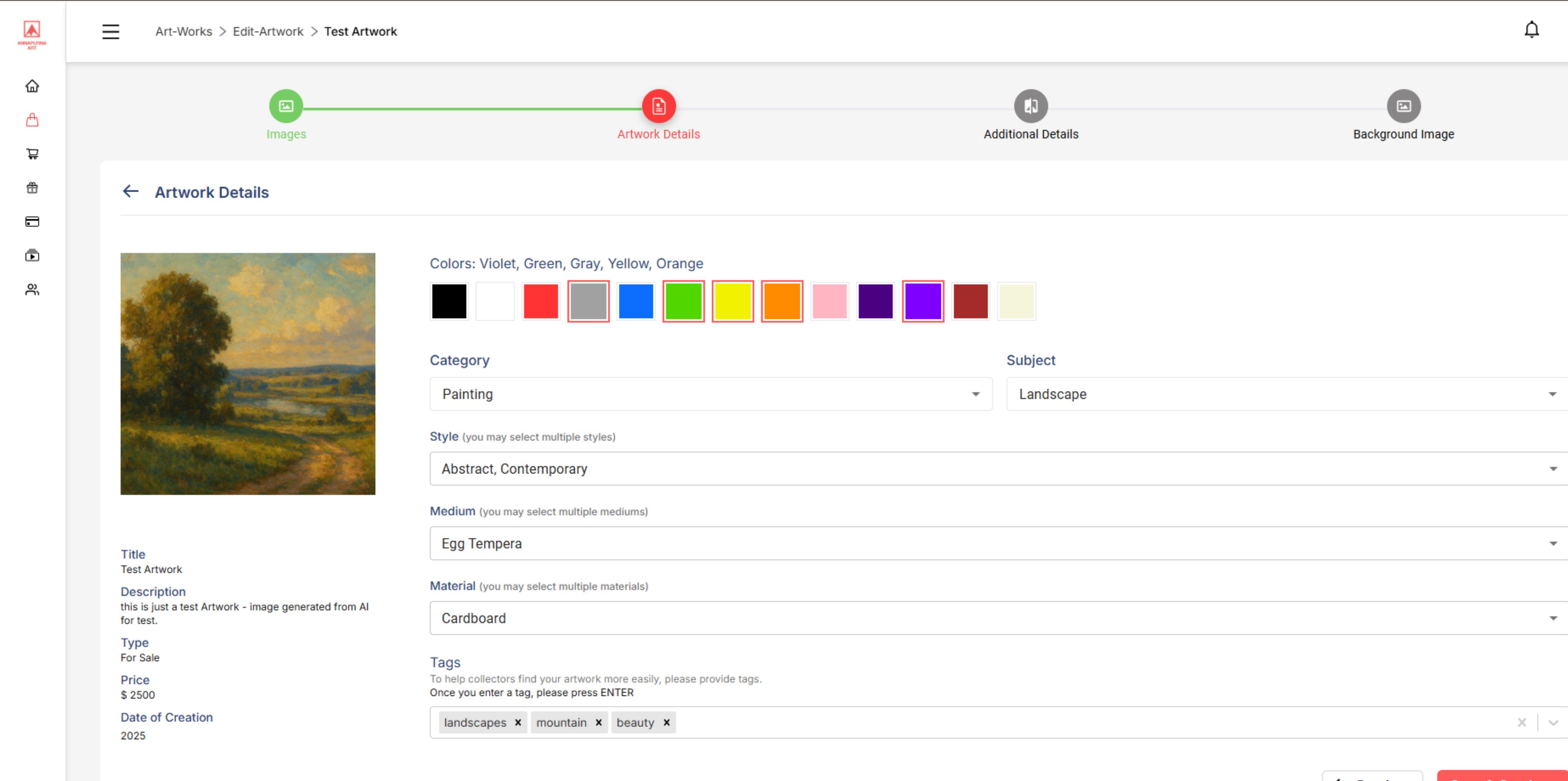
- Dominant color(s)
- Artwork category
- Subject
- Style
- Medium
- Material
- Tags
Step 3 — Additional Information
Provide additional details about your artwork.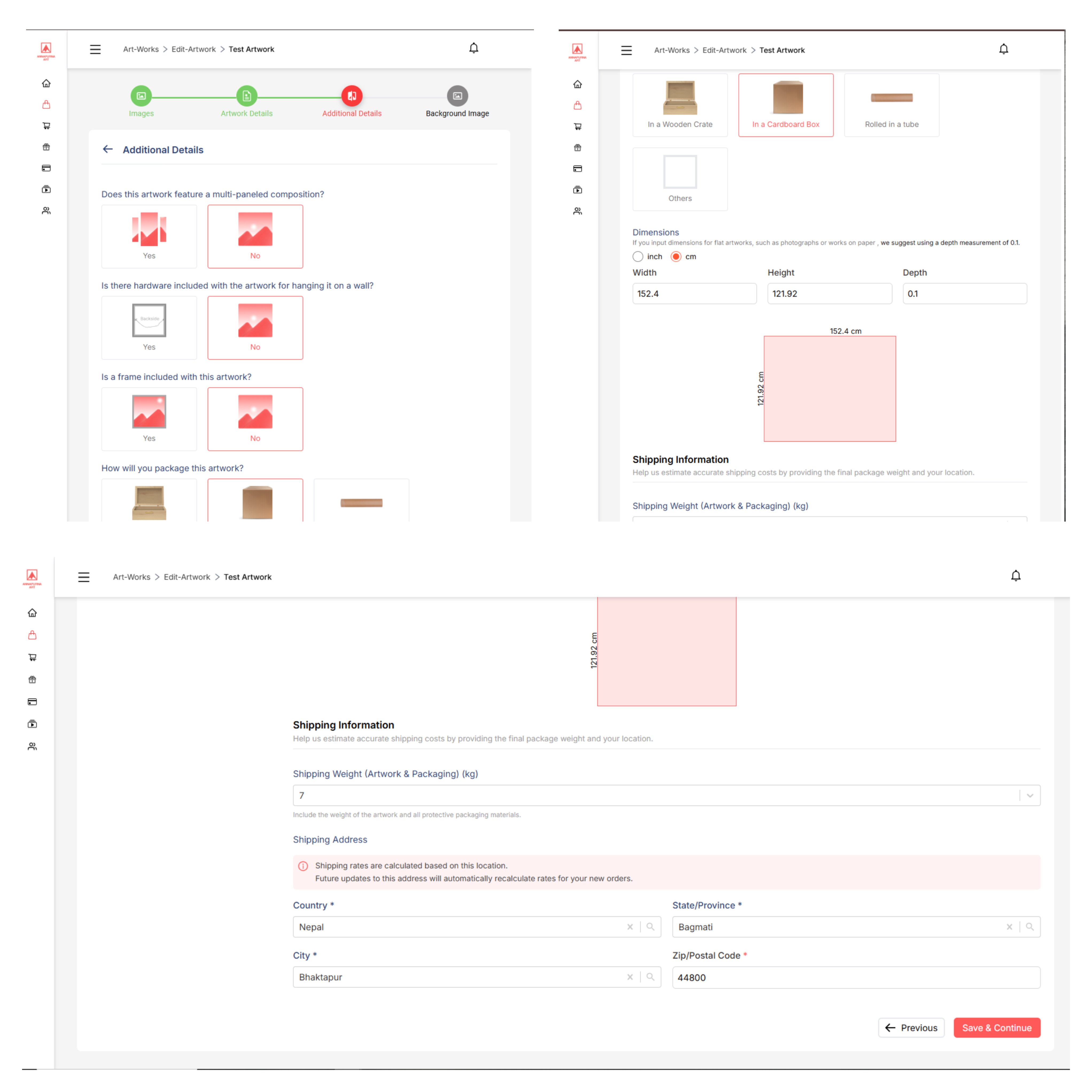
Artwork Information
- Multi-panel composition
- Hanging hardware included
- Frame included
- Packaging method
Dimensions
Enter the artwork dimensions in:- Centimeters (cm)
- Inches (in)
Shipping Information
Provide:- Artwork weight
- Artwork pickup location
Step 4 — Background Image & Publish
Upload a background image for your artwork.This image is used as the Virtual Wall Preview, allowing collectors to visualize how your artwork may look in an interior setting.Once everything has been reviewed: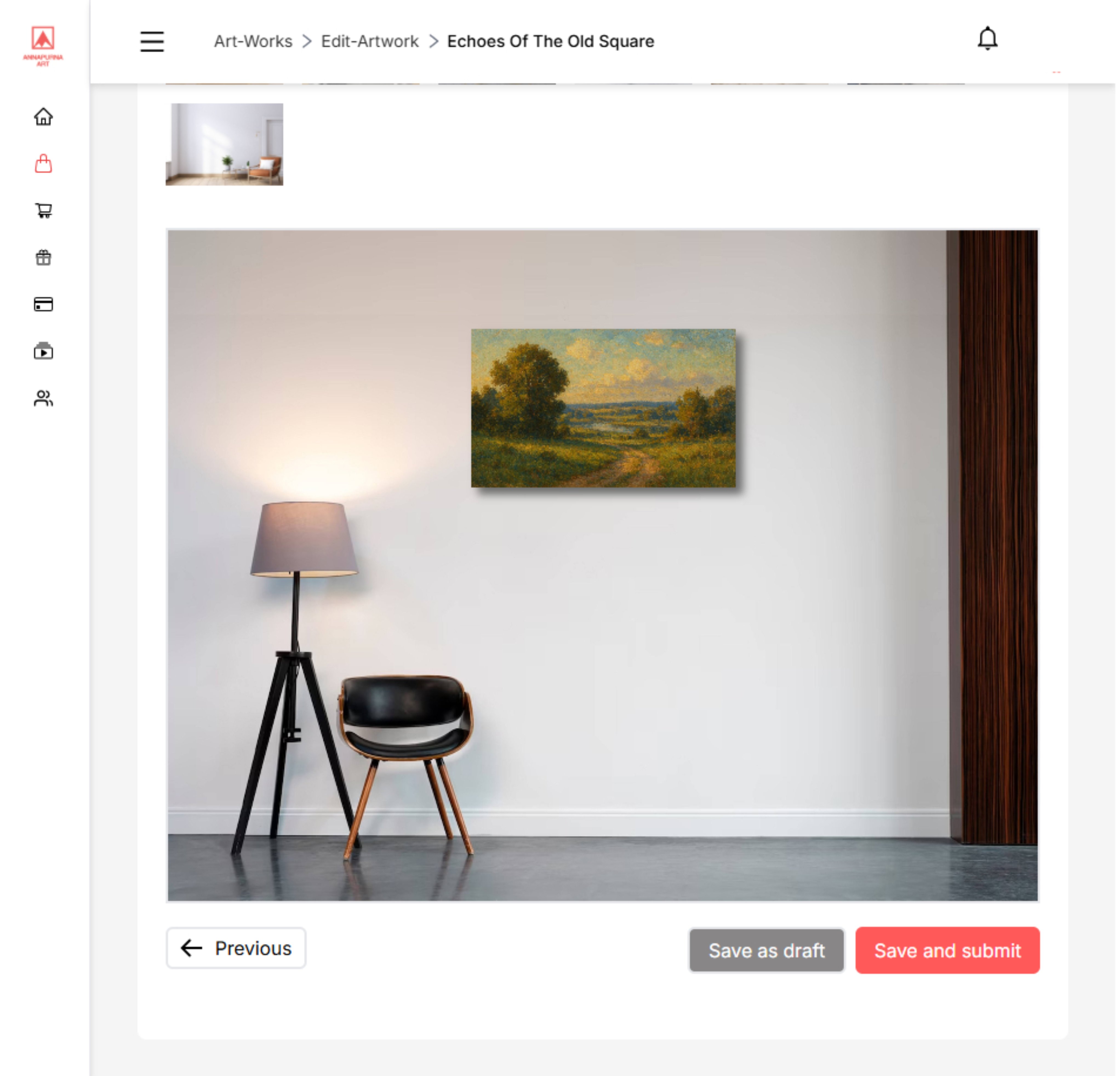
- Verify all artwork information
- Check pricing
- Confirm dimensions
- Click Publish Artwork
Before You Publish
Use High-Quality Images
Upload clear, well-lit images that accurately represent your artwork. You may upload up to 5 images showing different angles, textures, framing, and close-up details.
Review Before Publishing
Double-check your title, pricing, dimensions, category selections, and shipping information before publishing. Accurate information helps collectors make confident purchasing decisions.
Need Help?
If you experience any issues while uploading your artwork or have questions about your listing, our support team is here to help.Contact Support →